SOGo 6 - May News
May 21, 2026
Dear SOGo community,
We are happy to share some news about SOGo 6.
Progress and preview
As we said in our last post, SOGo 6 repo will stay private until our public beta release this summer. But a few words about our progress: The mail part is mainly done, and the calendar part is pretty advanced. Address book is not done yet, but as this is not the most complicated part of the webmail, it will be ok. Our roadmap until the beta release is pretty tight but nothing alarming.
We deployed a demo online to give a preview of the new UI, you can visit it here: SOGo 6 Preview!
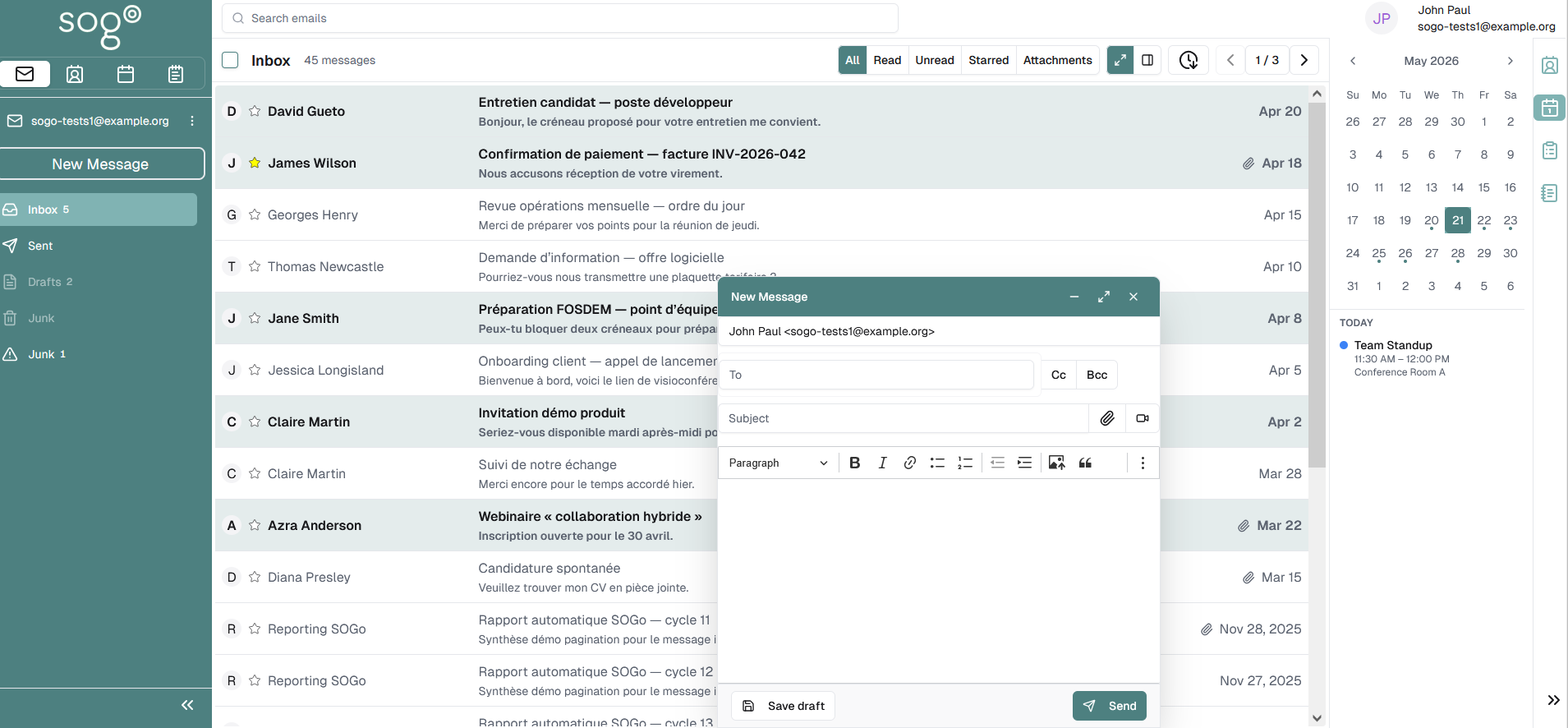
Keep in mind that the UI can still change and that the demo does not show the current state of our development progress.
Topic of the day: Deployment
Today we will talk on how to install and deploy SOGo 6, assuming you’re starting fresh or you already have migrated your SOGo 5 data.
We will speak about containerization, but you will be free to install SOGo directly, if that’s what you want. Official SOGo 6 image will be provided but you will be able to do your own for more customization. It will be way easier than SOGo 5 as the backend is a python server and the frontend Nextjs.
SOGo 6 has at least three containers:
- The backend server: a webserver based on gunicorn/Flask
- The frontend server: a Nextjs (reactjs) application
- The agent: A distributed task queue server, using Celery also in Python.
The frontend doesn’t need any config except the URL of the backend.
The backend and agent need essential settings to run, called process_settings, like the database and redis url, some secrets for encryption and others…
These settings are mandatory and can be provided either by ENV variable or by a file. The ENV variables take precedence over the file.
Then there are dynamic settings stored in the database. Those settings defined everything else: your imap server, the authentication method, your user sources… Without those settings, SOGo 6 will run but will only allow some Admin endpoints to set them up.
However, in a deployment pipeline, we are assuming you’ve already installed, tested and configured manually SOGo 6 beforehand. In that case, you would be able to export those dynamics settings into a file and use it in your pipeline to automatically set them up. Of course, a “default” Json file will be provided where you will have to replace some settings with your own values.
And that’s it! Your SOGo is ready to go!
Once SOGo is running, all the admins’ actions are done with the same RESTful Api. So, if you were using sogo-tool in your scripts, you will have to generate an Api token and then replace the sogo-tool command with a curl command. And, as SOGo 6 is only an API, you will not be limited and be able to do a lot of more actions than with SOGo 5.
That’s all for today. Thank you again for your support and see you soon!
SOGo team.
Back to 2026