SOGo 6 - November News
November 26, 2025
Dear SOGo community,
It is with great pleasure to share news with you about SOGo 6, the complete refactor of SOGo 5. This is the second part, if you’re not up to date you can find the first part here.
Hot Topic – ActiveSync
Last time was announced the drop of ActiveSync support. Many of you have shared your concerns, especially for mobile compatibility.
It is true that, even if we can do imap synchronization and Caldav/Cardav, ActiveSync is the only protocol natively supported by first party apps on iOS and Android, with a one-step configuration. That’s why we have decided to reconsider ActiveSync as there is no other more satisfying way to support mobile.
However, our planning being already quite full, ActiveSync support may arrive after the first release.
Feature preview: Configuration of SOGo 6
The goal of the first SOGo 6 release is to cover all SOGo 5 functionalities and be ready to get new features. Let’s review all of this!
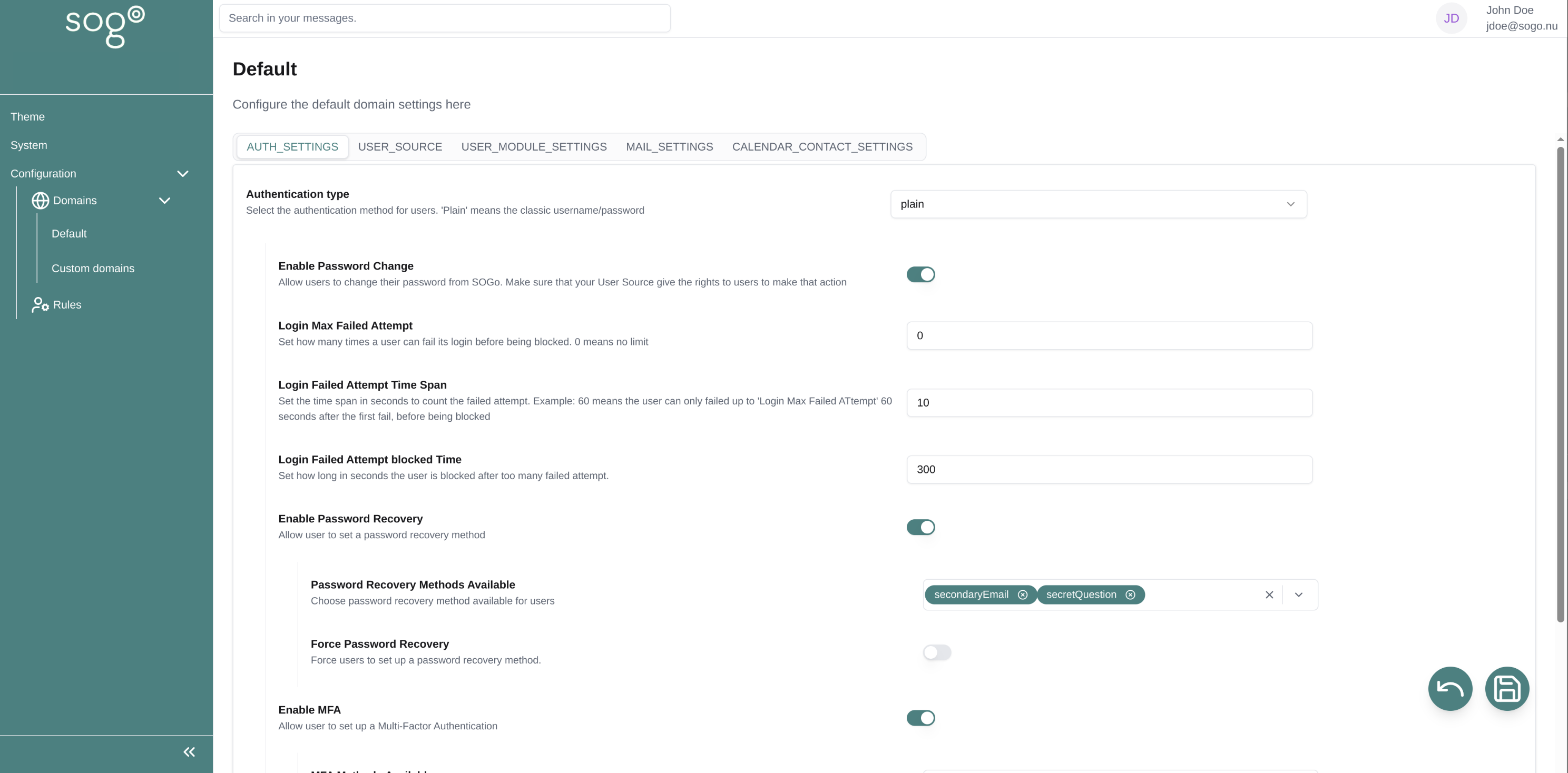
As previously said, the configuration has been completely reworked!
Most of the parameters are now in the database and can be changed dynamically. Only the settings required to run SOGo must be provided as environment variables or in a file. They’re called process settings.
The first time you install SOGo, the database will be empty, and you will need to make a first configuration to set the user source, the imap/smtp servers…
For this, SOGo 6 has two different APIs sets. The “user” one for all the mails, calendars and contacts endpoints. And the “admin” one, dedicated to both configuration and sogo-tool replacement.
To access the admin APIs, you will have to set a username and password in the process settings. These credentials can only access this/these APIs. You will also be able to elevate user account from your user sources to admin later, if needed.
After a first launch, SOGo will detect that it has no configuration and will automatically block all user API requests, allowing only the amin API to make the first setup.
You will be able:
- To access an interface to make the configuration (with or without help of a wizard).
- To import your SOGo 5 “sogo.conf” file.
- Or make your own script with adequate HTTP request to set up SOGo.
In the interface you will find all the parameters and their description. They are dynamic and will not need to restart SOGo. You’ll be able to define: the authentication system, your users sources, your mail server, the mail filtering, outgoing and much more.
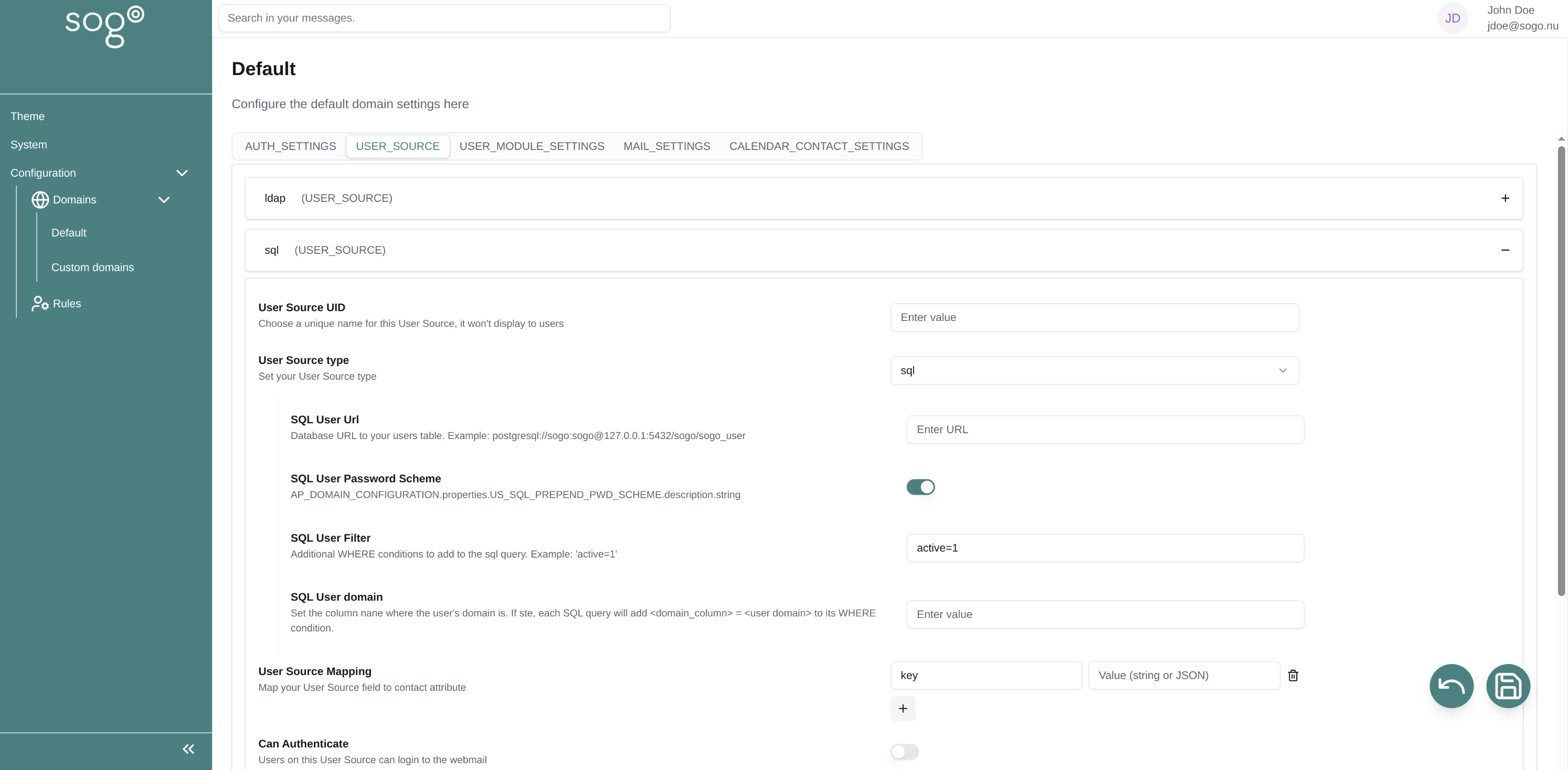
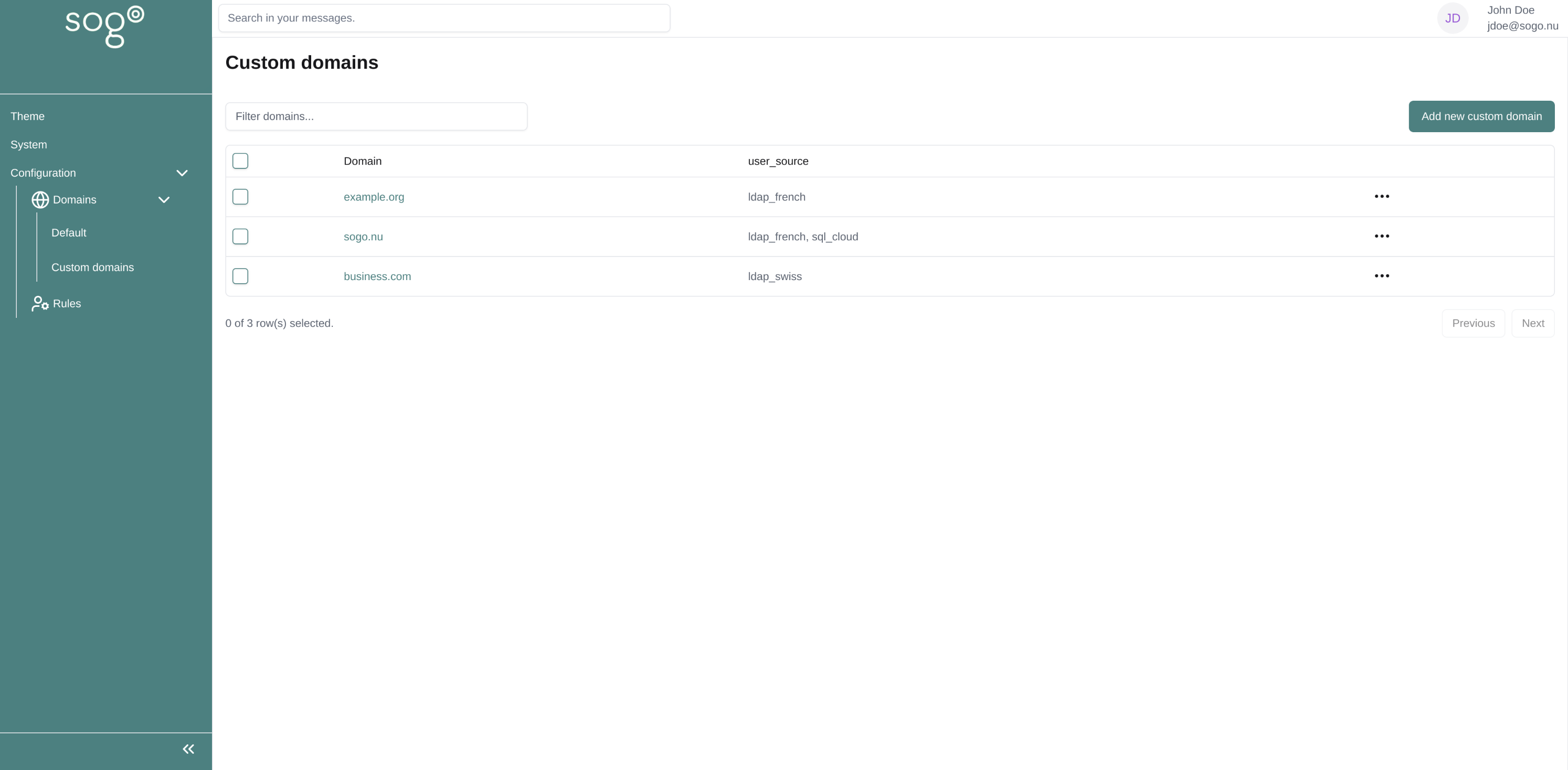
SOGo 6 also make it easier to manage sogo by user’s domain. You define a default domain’s settings and then can override parameters for certain user’s domains:
Example: You can easily say that user from mydomain.com use another imap server than the default one.
If you have several user’s domain that share the same settings, you can also do that easily by setting a rule: user from those domains use another imap server than the default one.
Obviously, this is optional and you can only define the default domain’s settings, so all your users share the same configuration!
Fosdem 2026
We’re pleased to announce that we will be attending FOSDEM 2026! We will be there for the 2 days, January 31 and February 1, 2026.
We look forward to seeing many of you there and, sharing our latest progress when the time comes and discuss with you.
FAQ
A section “SOGo 6” has been created in our FAQ. It will be updated regularly!
See you very soon!
SOGo Team
Back to 2025